Brewix Desk · Nearly Ready, Waitlist Open
Your whole IT job in one place. Built for a team of one.
The help desk for IT teams of one to three on Microsoft 365. Tickets, projects, starters and leavers, devices, licenses and renewals live together, instead of across a mailbox, a list, a spreadsheet and your memory.
$79 a month for your whole organization. One technician included, and nothing per requester or device.
Built for the Microsoft 365 you already run
- Microsoft 365
- Teams
- Outlook
- Intune
- Entra ID
- Azure
Built for a Team of One
Everything a one-person IT department does, in one place.
Small IT teams don’t only answer tickets. Brewix Desk covers the work around them too, so you’re not maintaining a homemade help desk out of a shared mailbox, a Microsoft List, a Planner board and a spreadsheet of renewals.
Projects
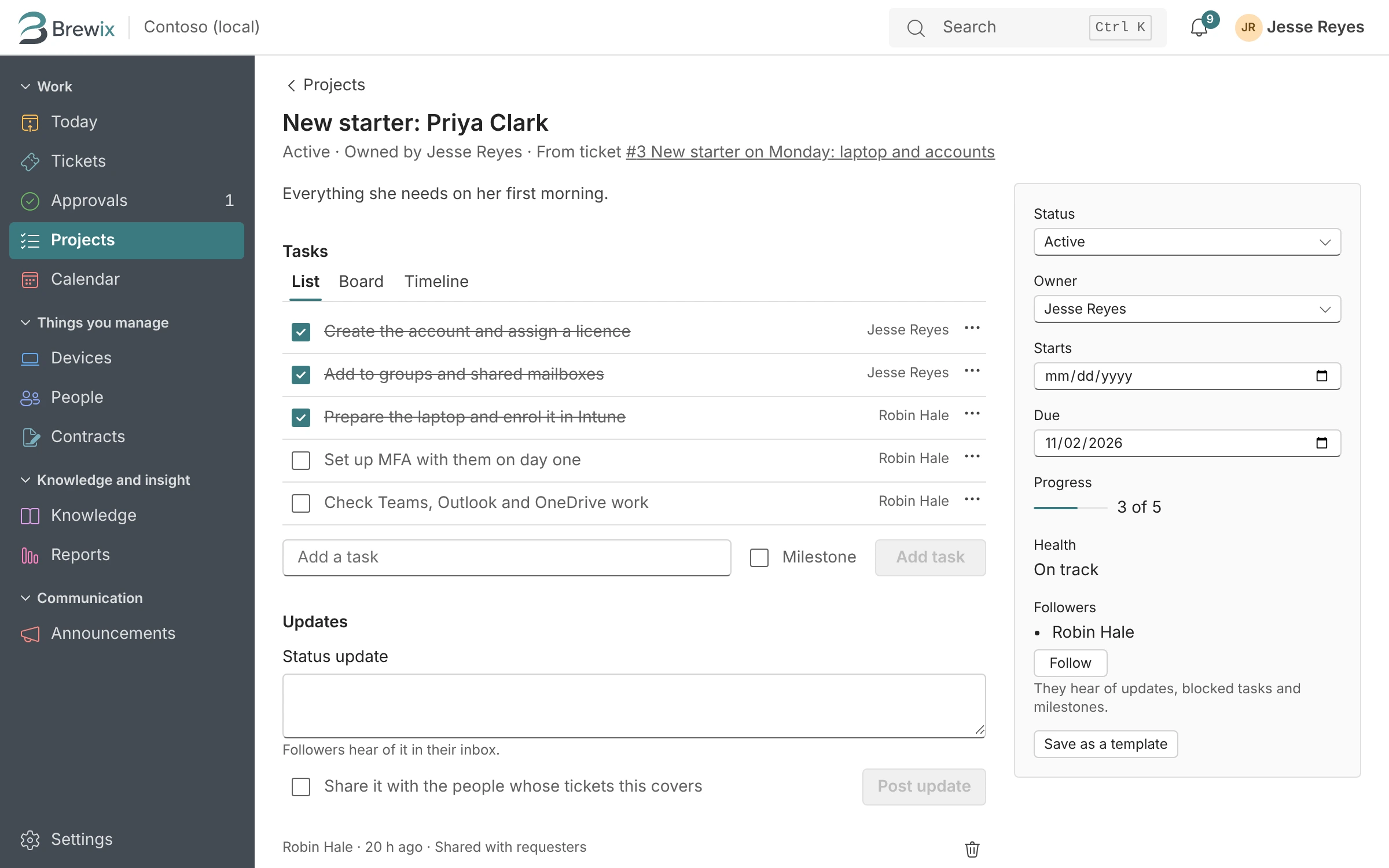
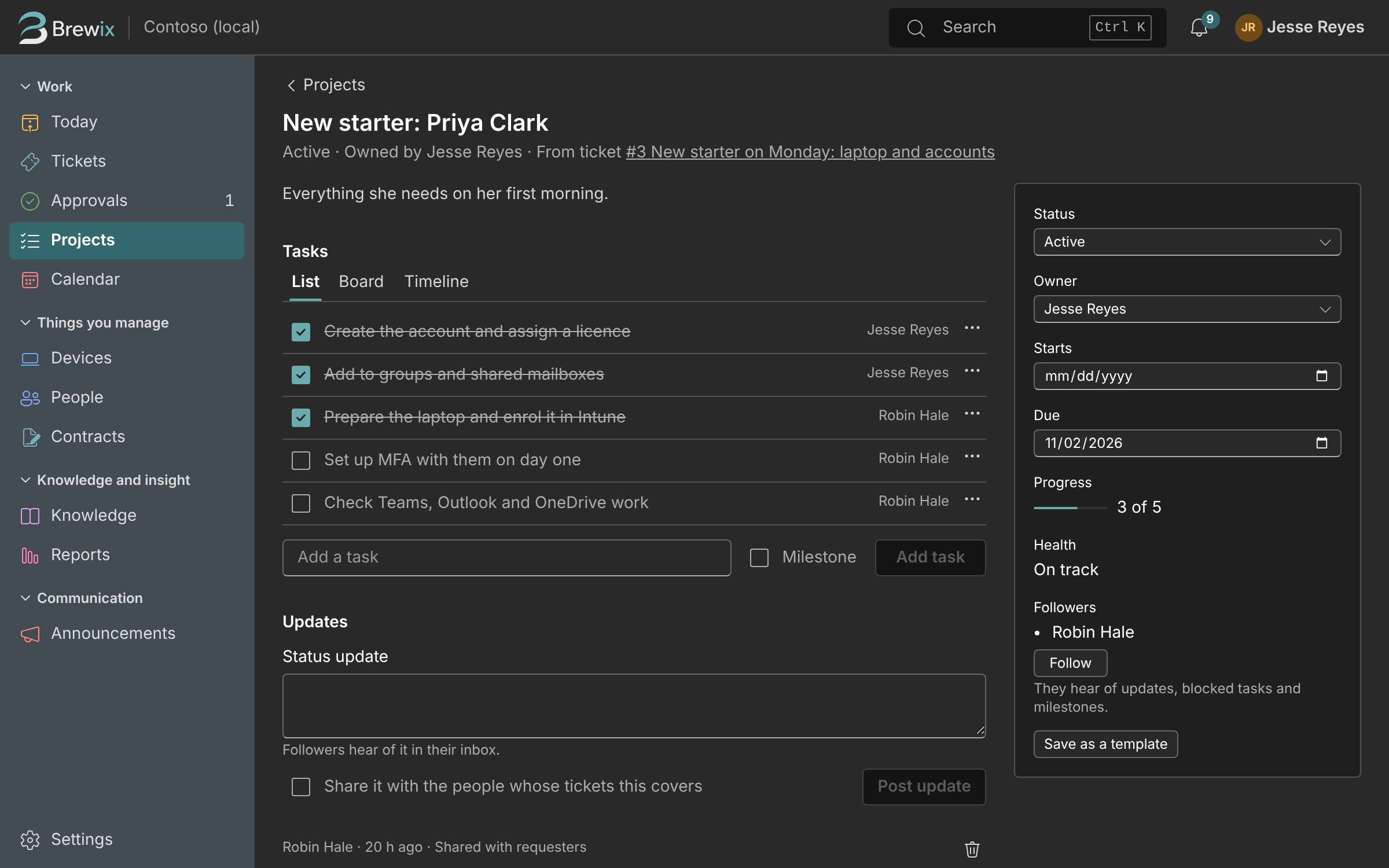
When a quick question turns into a week of work, make the ticket a project with tasks and dates.
Starters and leavers
Request forms, approvals and a checklist for every person who joins or leaves.
Devices
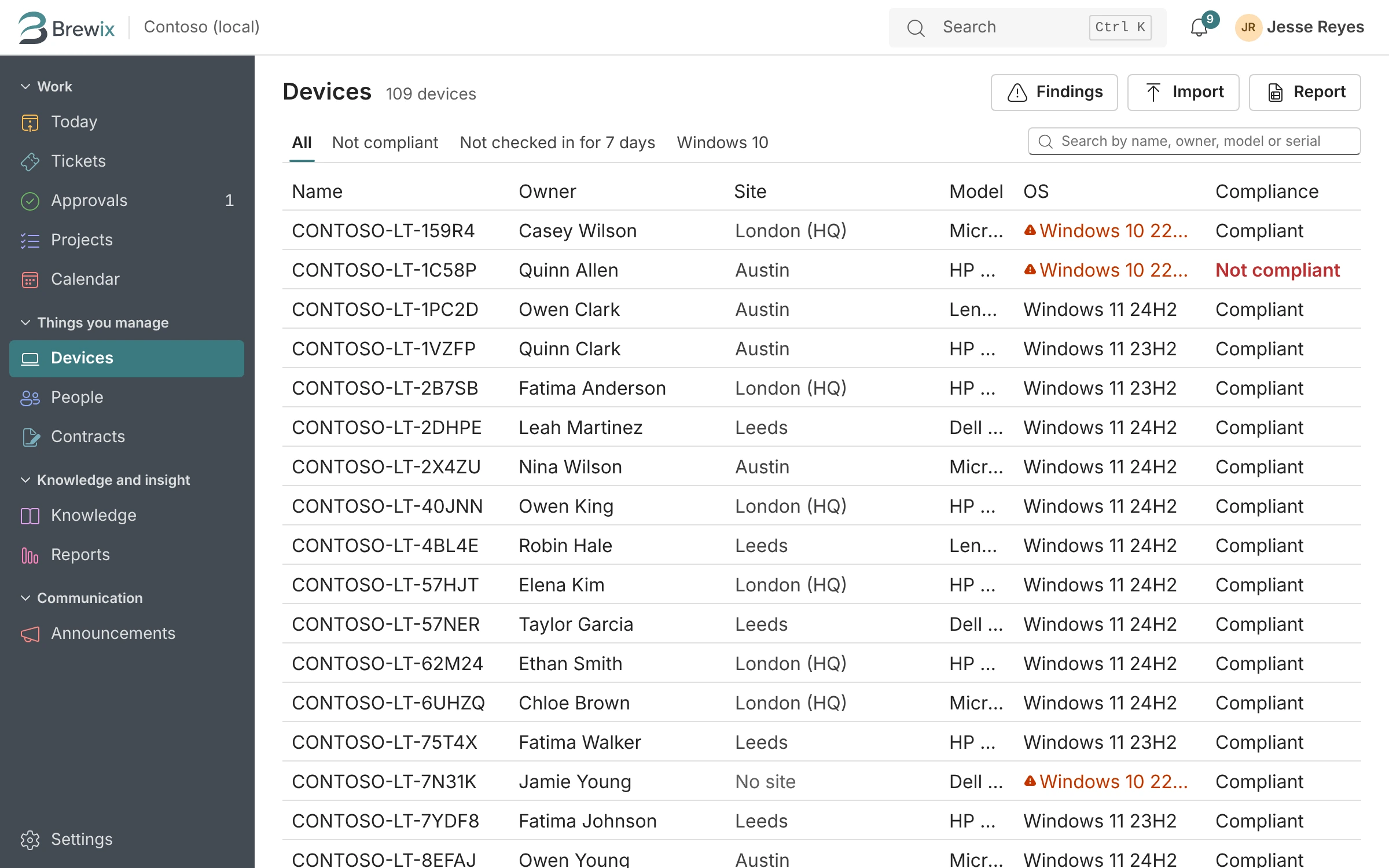
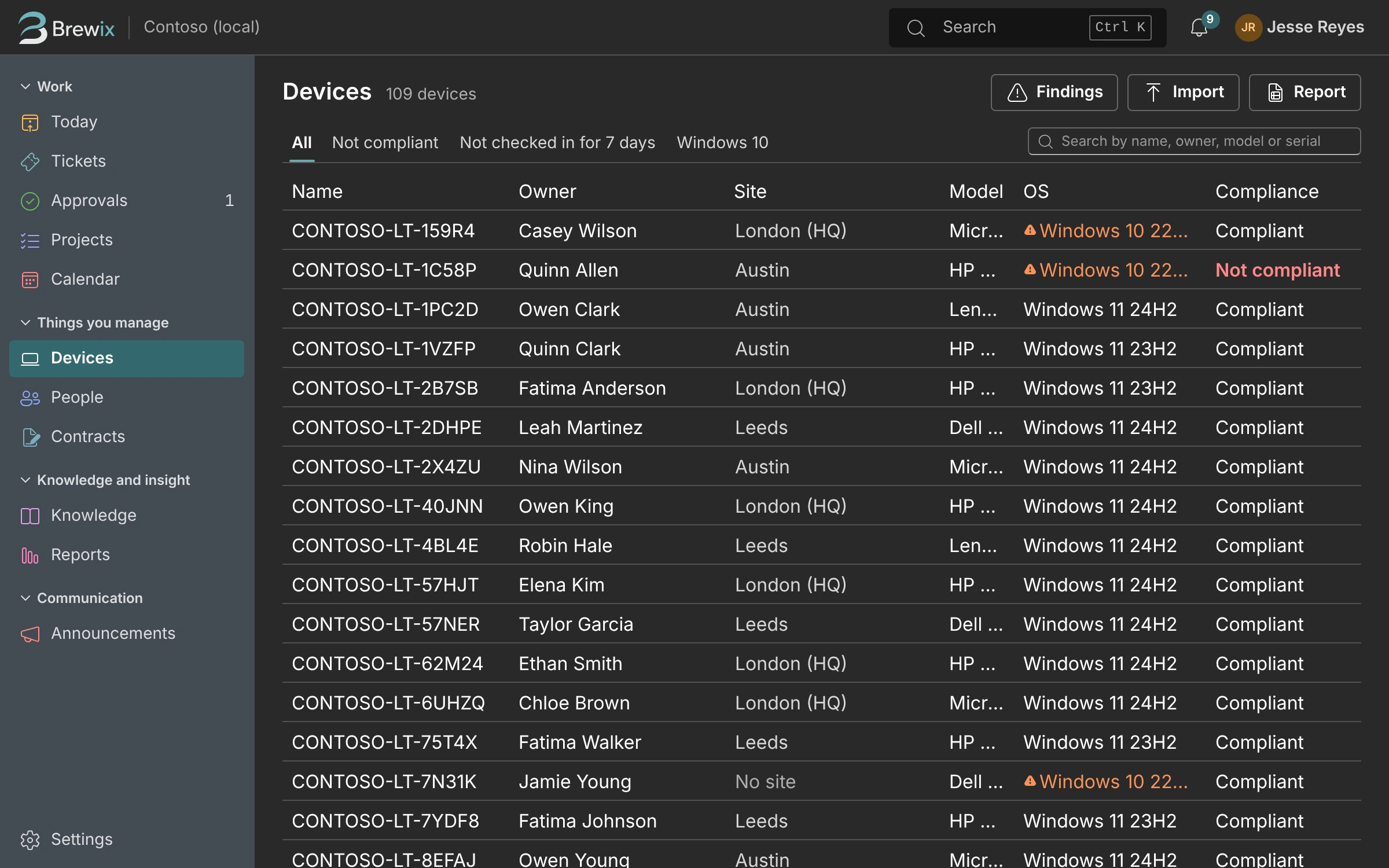
Every laptop from Intune with its owner, build, compliance and warranty, kept current.
Licenses
Who holds which Microsoft 365 license, and who hasn’t signed in for months.
Contracts and renewals
Renewal dates and notice periods, with a reminder ticket before the notice period runs out.
Today and the calendar
A list of everything due, and a calendar of changes, renewals and loans.
Knowledge base
Turn a fix into an article you can insert into replies or publish in the portal.
Reports
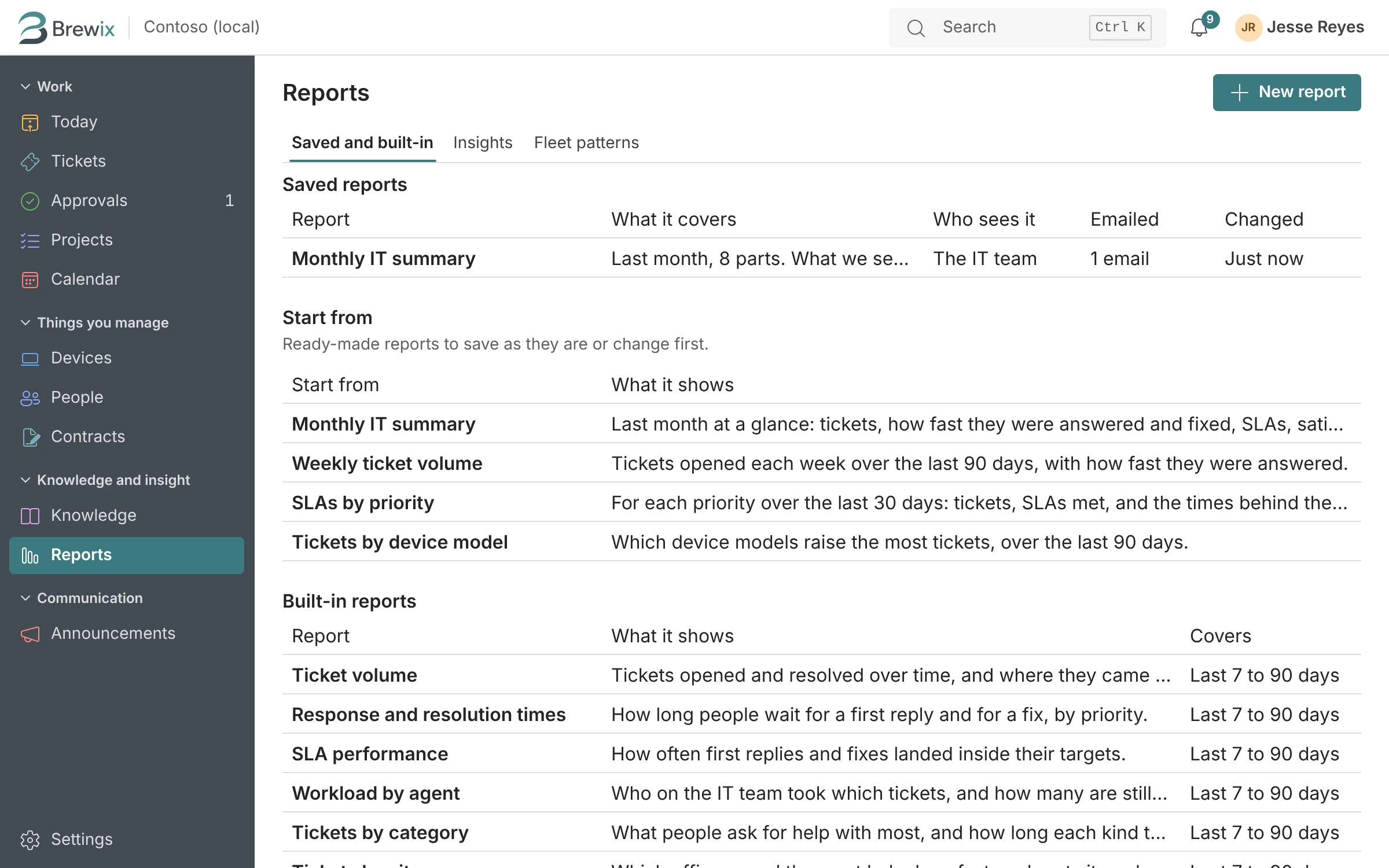
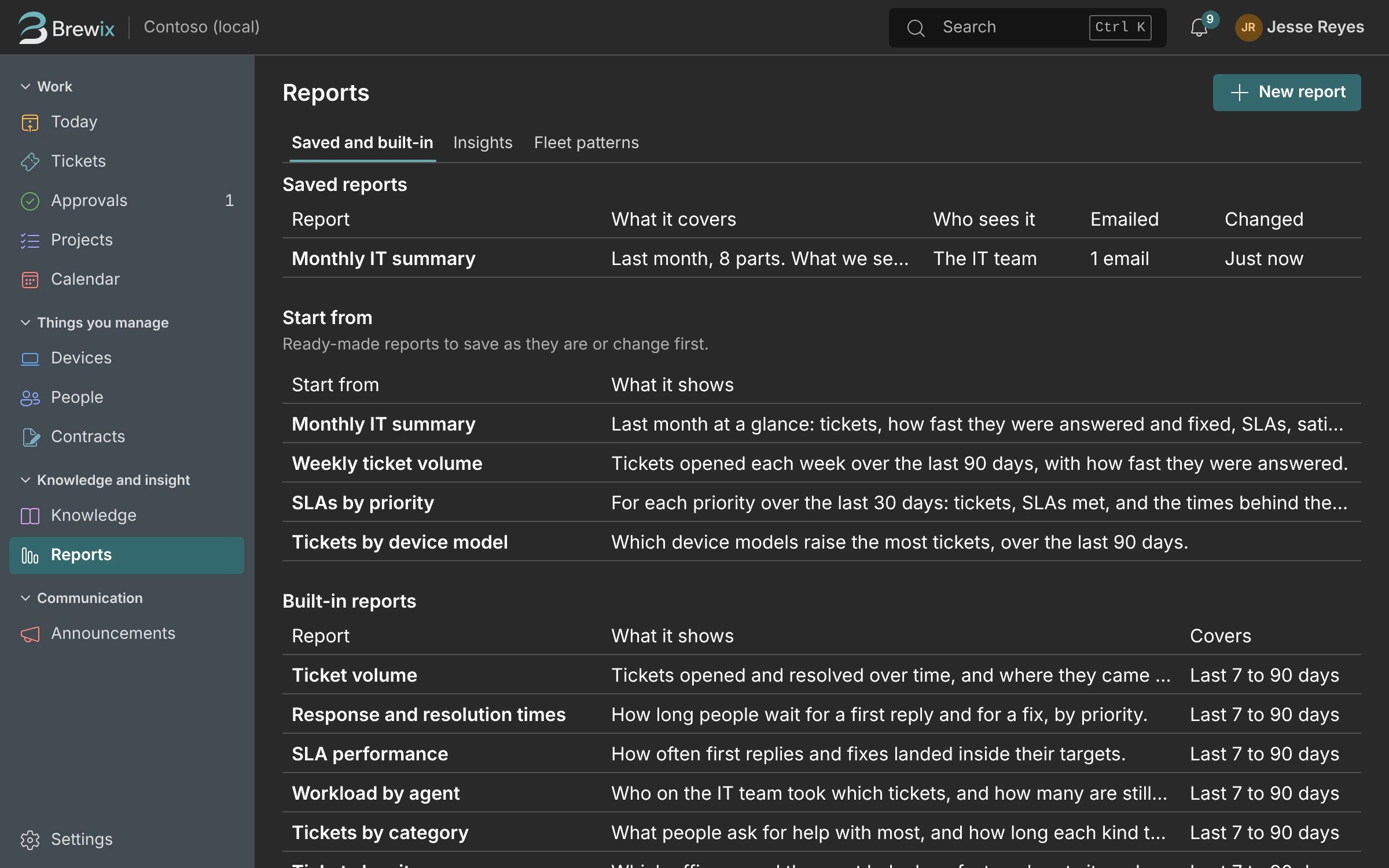
Volume, response times and where the hours go, with a feed for Excel and Power BI.
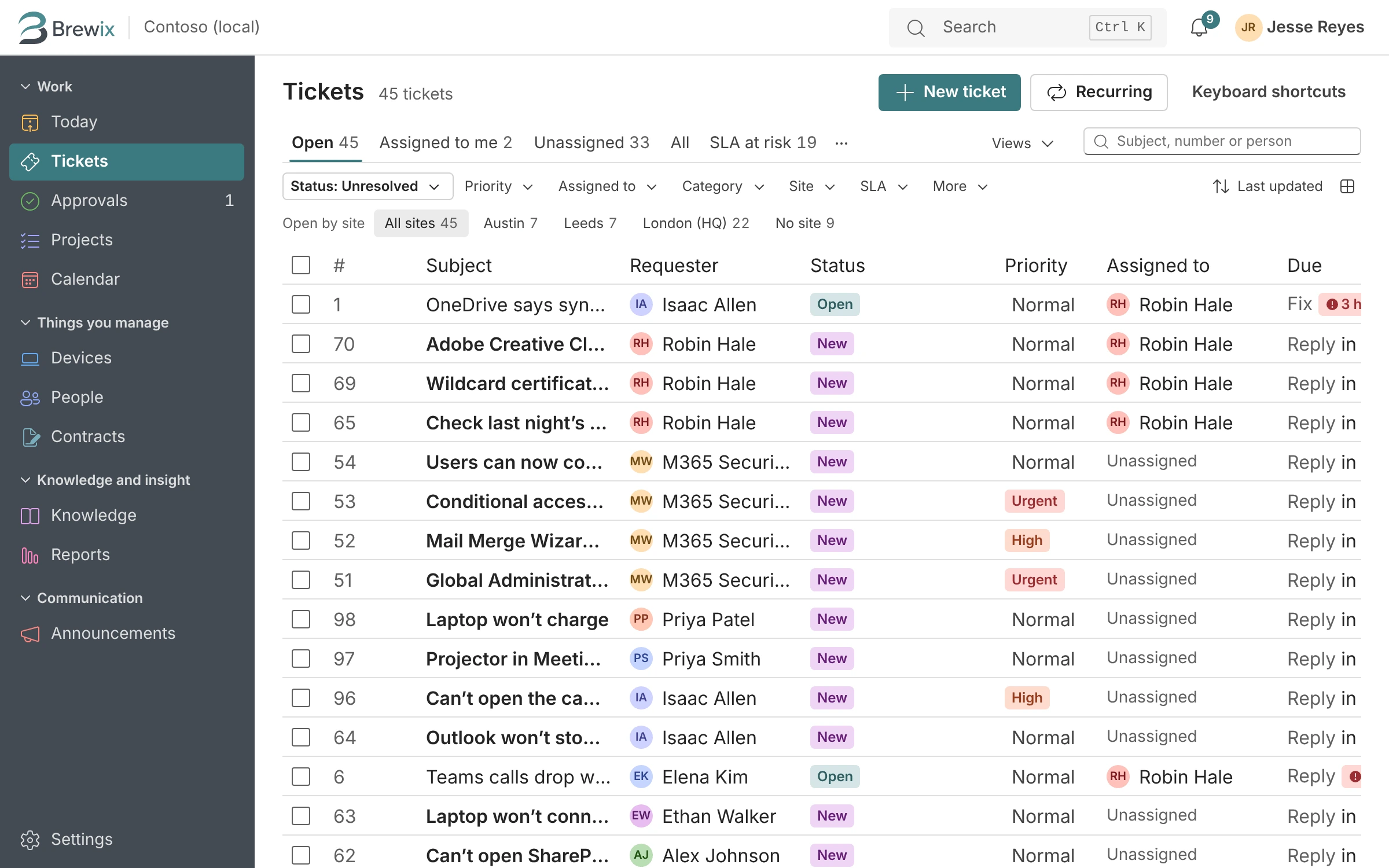
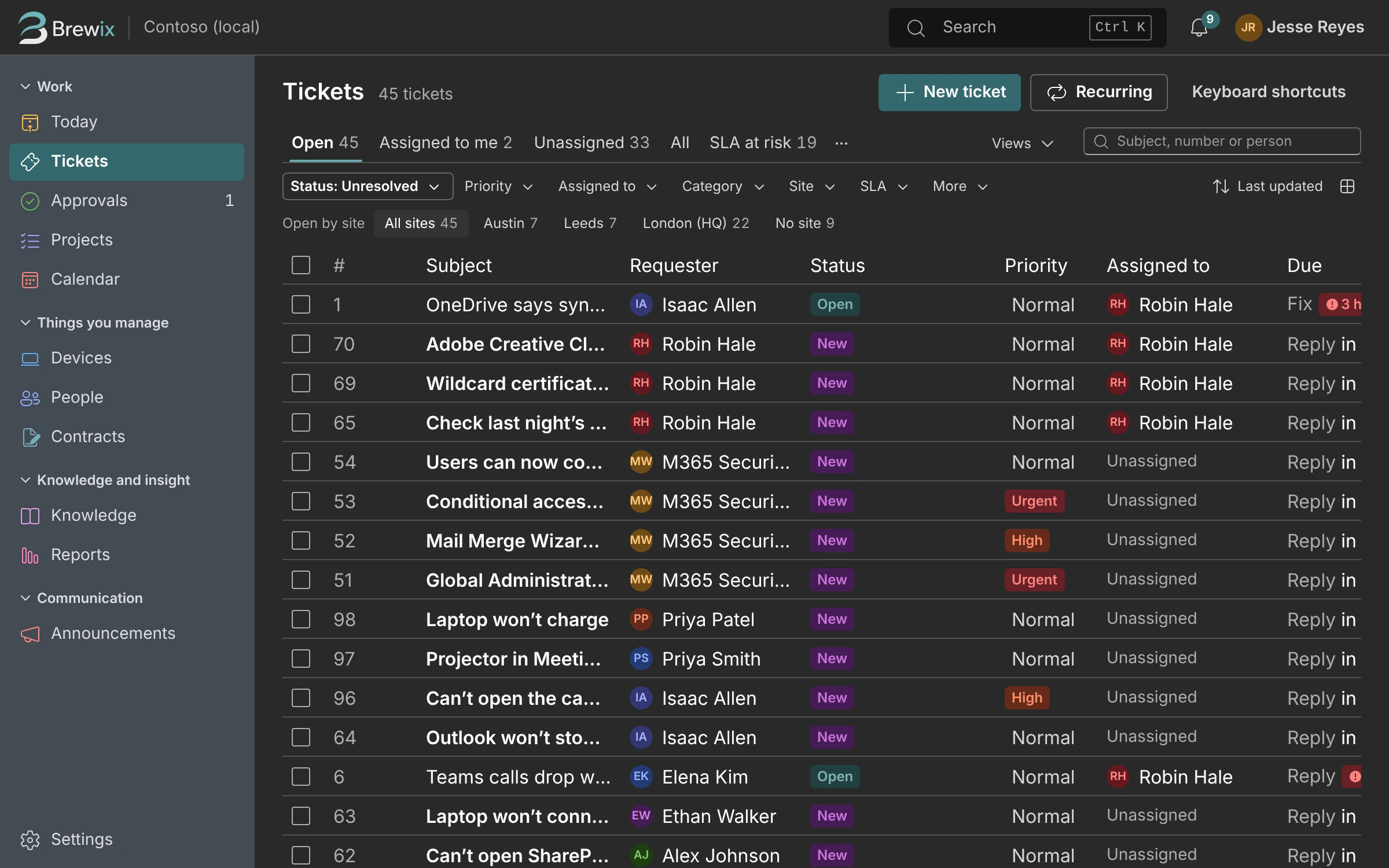
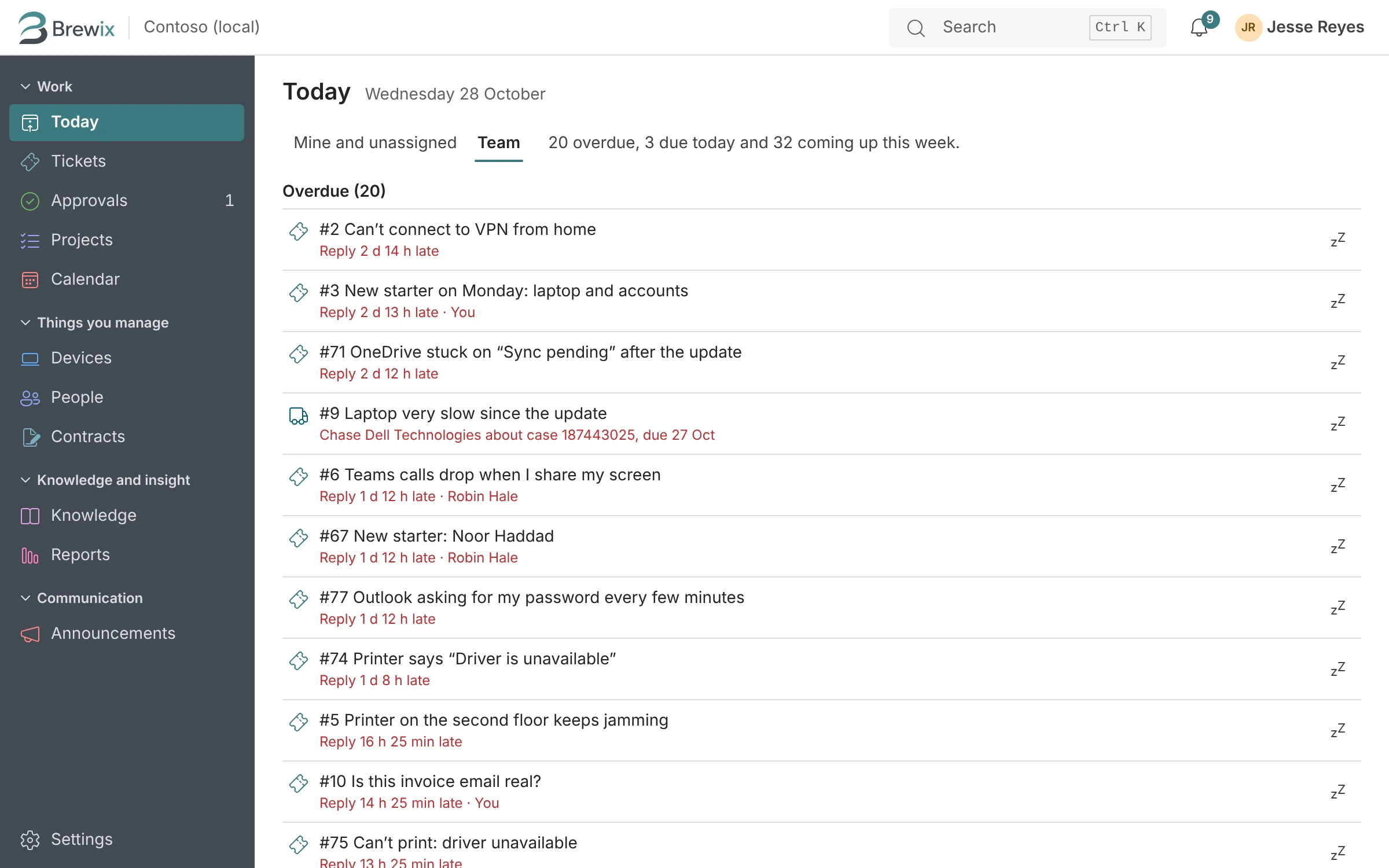
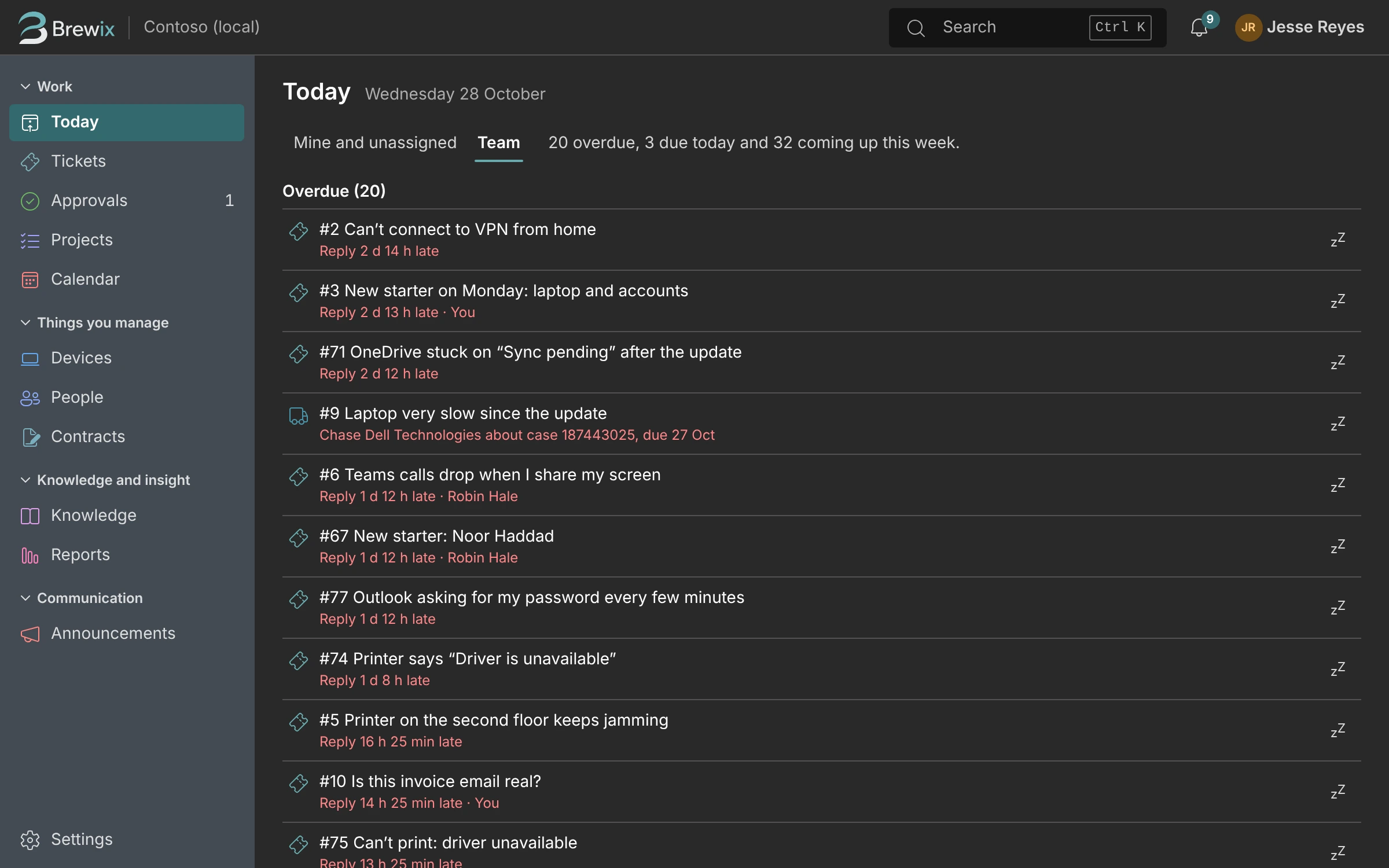
Today. Everything due, overdue and coming up this week, for you or the whole team.
Projects. Projects with tasks, owners and dates, linked to the tickets that started them.
Devices. Every device from Intune, with its owner, build, compliance and warranty.
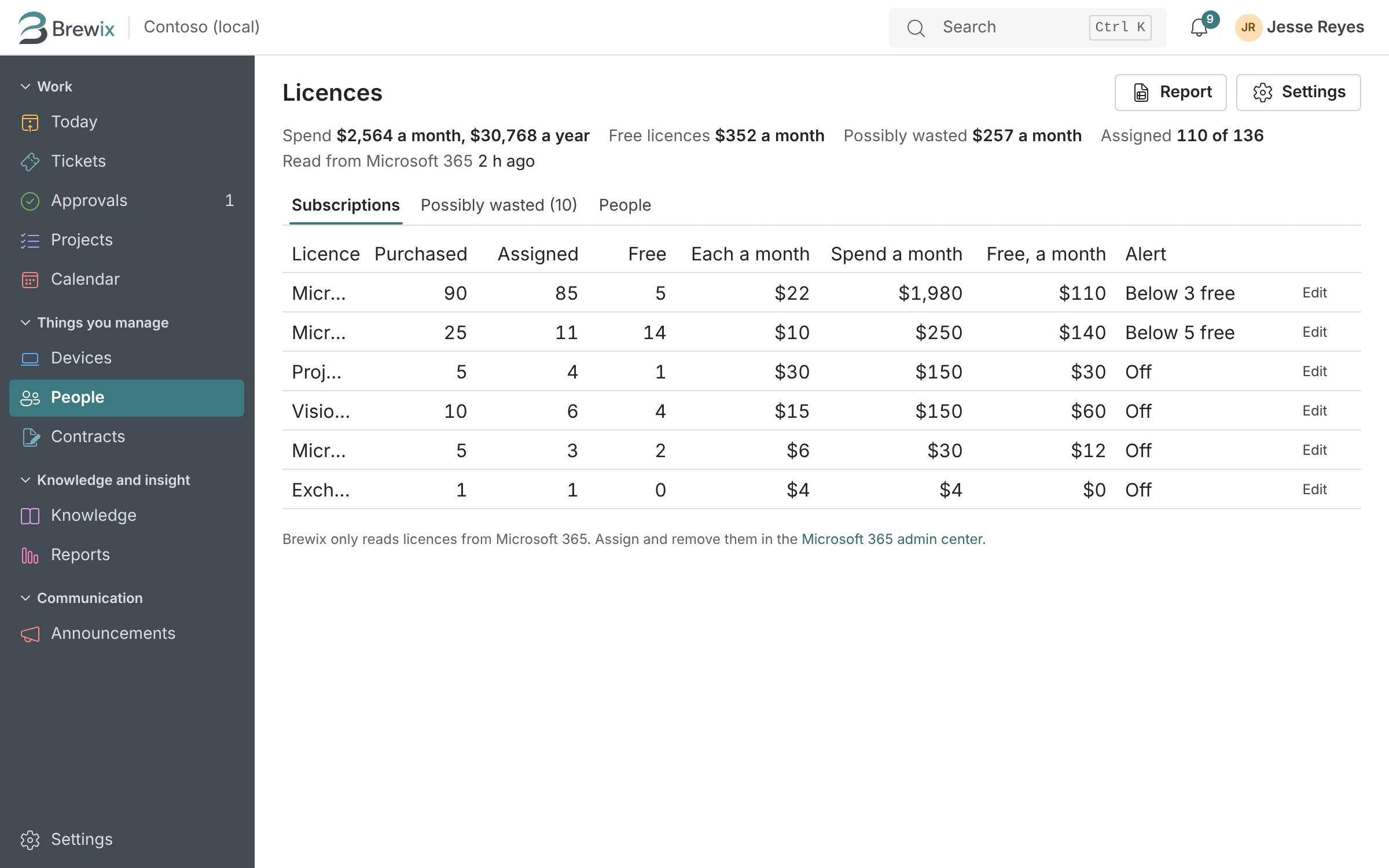
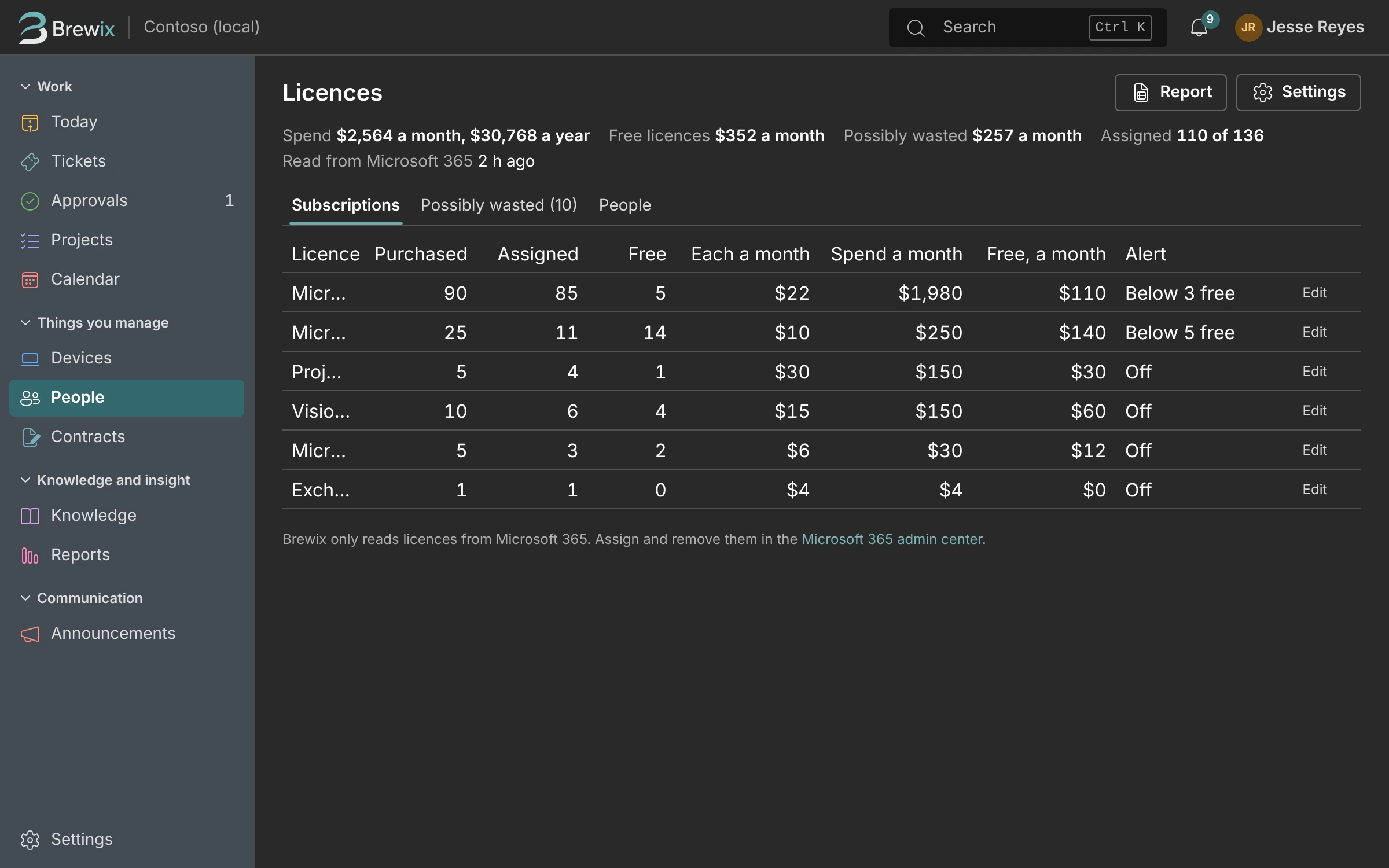
Licenses. What you pay for, what’s assigned and what’s sitting unused.
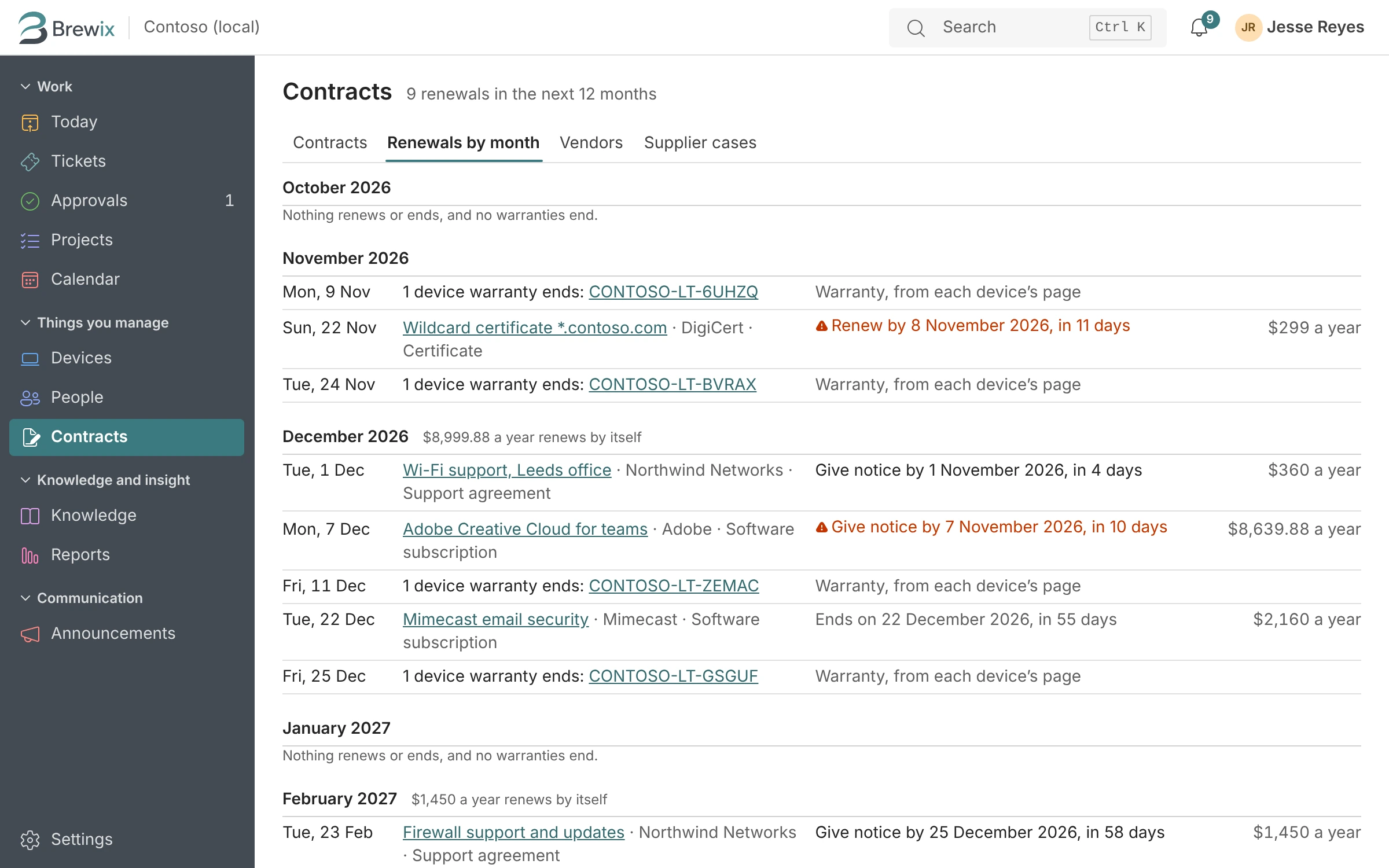
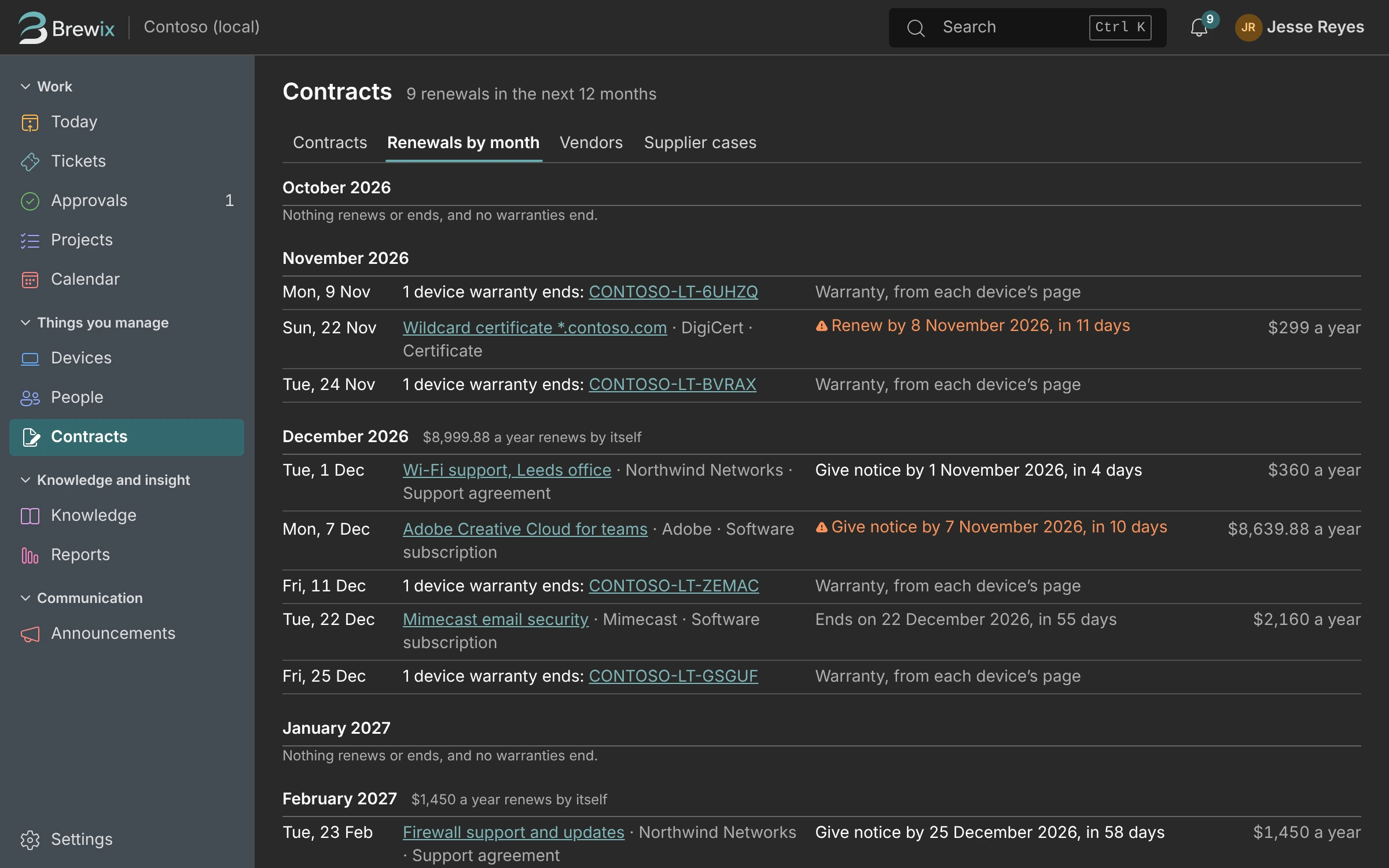
Renewals. Upcoming renewals and notice deadlines, so nothing renews by surprise.
Reports. Ready-made reports and your own, for the monthly update to your boss.
Remembers Your Fixes
Fix it once. Brewix remembers how.
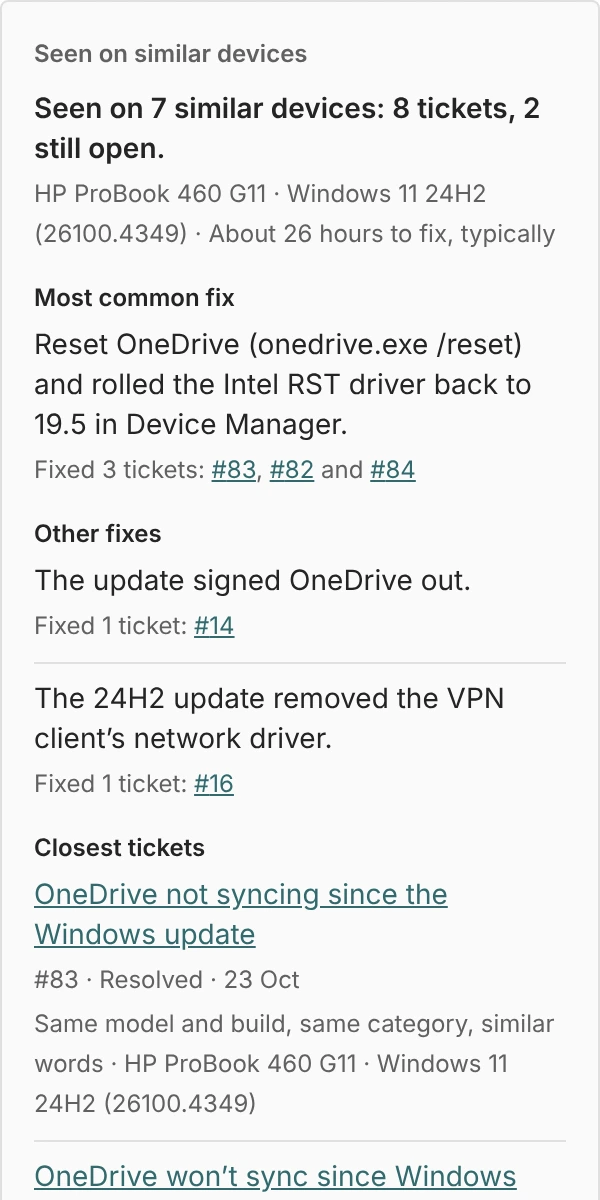
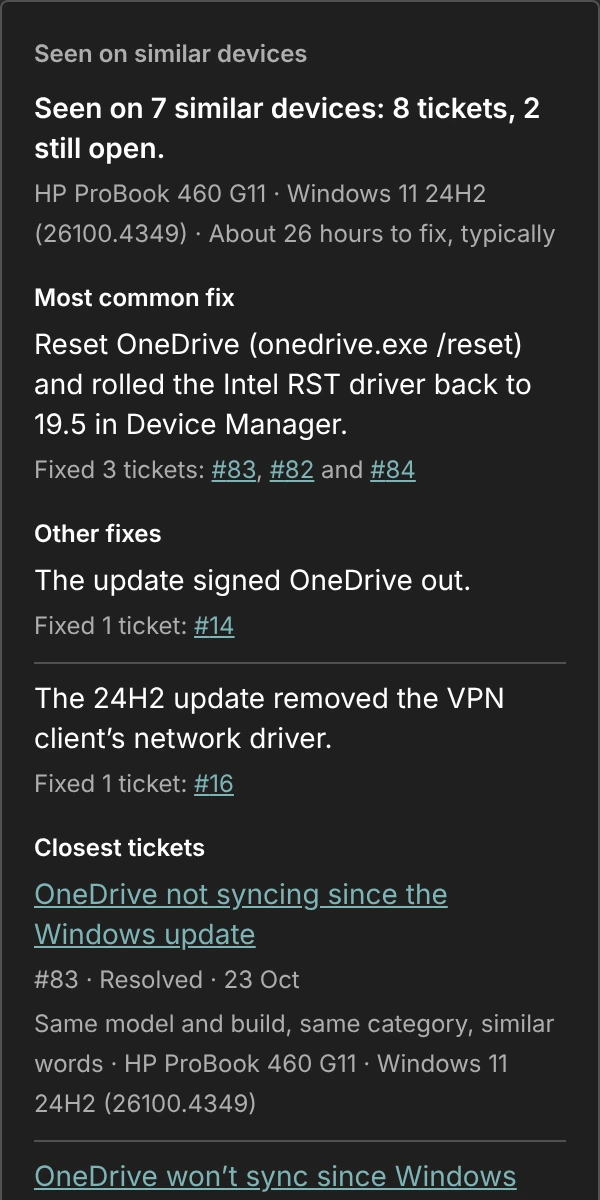
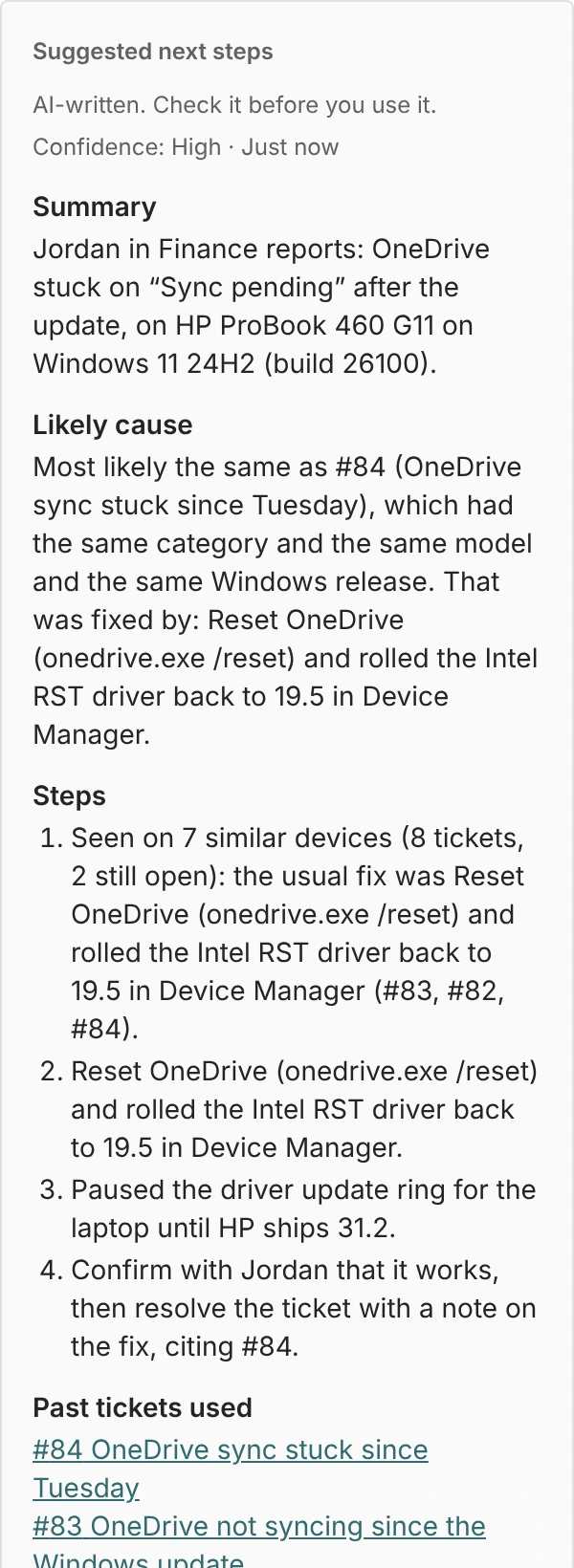
When a ticket comes in, Brewix looks at the device behind it and at your own past tickets. When the model, Windows build and problem match, it shows what fixed it last time and how long the fix usually takes.
- Seen on similar devices. “HP ProBook 460 G11 on Windows 11 24H2: 8 tickets, fixed 3 times by resetting OneDrive and rolling back the storage driver.”
- Suggested next steps. A summary, the likely cause, steps to try and a draft reply, written from your own history. It’s labeled as AI-written, and nothing reaches the requester until you send it.
- Ask Claude. Hand a hard ticket to Claude for a second look, with names and secrets taken out first. The answer comes back as an internal note.
Intune and Entra on the Ticket
Which laptop they have, without opening another admin center.
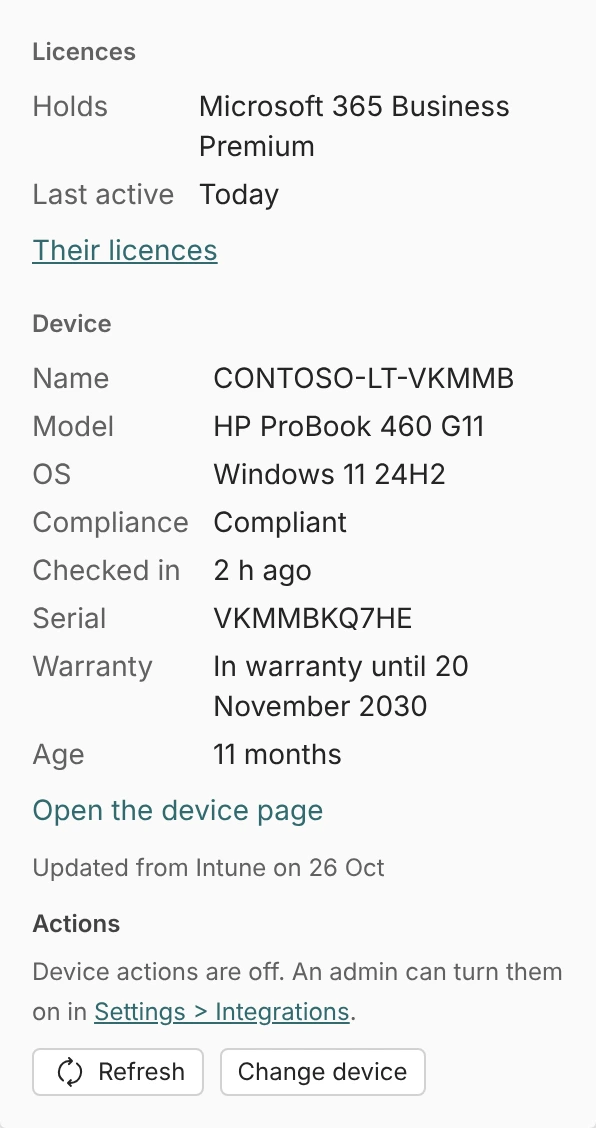
No more opening three admin centers to find out which laptop someone has. Brewix reads Intune and Entra and puts the answer beside the conversation.
- Model, Windows build, compliance, last check-in, warranty and age.
- The person’s licenses, department and when they last signed in.
- Sync, restart or start Remote Help from the ticket, if an admin turns device actions on.
- Every action is written to the ticket’s history, so you can see who did what.
One Queue
And every request still lands in one queue.
Email, Teams, the request portal, and the walk-ups and calls you log yourself, each with an owner and a due time.
Email
Point your help mailbox at Brewix. Replies thread onto the ticket, and forwarded emails keep the real sender.
Microsoft Teams
People ask in Teams, where they already are. Turn any Teams message into a ticket with the “Create ticket” action.
The request portal
A clean page with forms for what you’re asked every week: new starters, leavers, access and equipment.
Walk-ups, calls and DMs
Log a ticket for someone in a few seconds, so the hallway question doesn’t vanish.
Pricing
One plan for the whole organization.
No fees per requester or device, no feature tiers and no sales call. Every feature is included.
See full pricing$79/month
- One technician included, $25 a month for each extra
- Unlimited requesters, devices and tickets
- 30-day free trial, no card
- Renewals never rise more than 5% a year
Founder price: $59 a month. The first 25 teams to subscribe keep it for as long as they stay.
“I’m the only IT person at a 90-person company. Every help desk I tried was either built for a service desk of twenty and priced per agent, or a pile of free tools I had to glue together. Brewix Desk is the one I wanted: tickets, projects, starters and leavers and renewals in one place, with a memory of what fixed it last time.”
Security
Built by someone who’d have to approve it.
You’re the person who reads the consent screen. Brewix is designed to pass your own review.
Microsoft sign-in only
Everyone signs in with Microsoft Entra ID, so your MFA and Conditional Access policies apply. Brewix never stores a password.
The least access that works
Read-only access to directory and device data, and one help mailbox scoped by an Exchange policy. No tenant-wide mail permission, ever.
Your data kept apart
Built to run on Microsoft Azure in the US, with every organization’s data separated in the database itself, not only in the app.
Questions
When can we start using it?
Not yet. Brewix Desk is nearly finished: the whole product runs today against a demo organization, and it’s being connected to real Microsoft 365 tenants now. Join the waitlist and we’ll send short updates as it gets closer, and email you first when the founder price opens. Joining is free and there’s no commitment.
Do we need Intune?
No. Email, Teams, the portal, projects and everything else work on any Microsoft 365 business plan. Device details on tickets come from Intune, which is included in Microsoft 365 Business Premium.
What does Brewix need access to in our tenant?
Read access to users, devices and licenses through Microsoft Graph, and access to the one help mailbox you choose, scoped with an Exchange policy so it can’t read anyone else’s mail. A Microsoft 365 admin approves it once, and you can remove it whenever you like. The security page lists every permission and why.
Is there a free plan?
No. There’s a 30-day free trial with no card, then one price for your organization: $79 a month with one technician included, and $25 for each extra. Free plans are usually paid for with ads, your data or upselling, and we’d rather charge one fair price. See how it compares with the free options.
How does the AI work, and what happens to our data?
The suggestions come from your own past tickets and devices. When a ticket goes to Claude for a second look, names and secrets are taken out first, and every suggestion is labeled as AI-written. Nothing reaches the person who asked until you send it, and an admin can switch the AI features off for the whole organization.
Can we bring our tickets from another help desk?
Brewix Desk has importers for CSV, Spiceworks, Freshservice and Jira Service Management. They work in the prototype and will be tested on real exports during the beta. If you’re on something else, tell us on the waitlist form.
Who’s behind Brewix?
An IT admin who runs IT for a 90-person company on his own, and is building the help desk he wanted. Read the story.
Brewix Desk is nearly ready.
It isn’t open yet. Join the waitlist for short updates as it gets closer, tell us what makes IT hard for you, and hear first when the founder price opens: $59 a month for the first 25 teams, for as long as they stay.